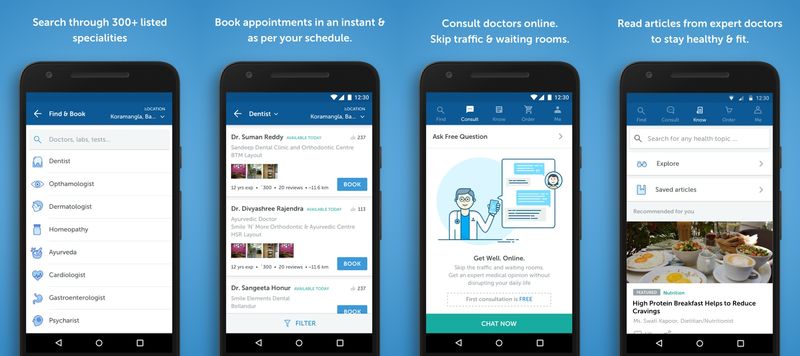
How to Take Virtual Treatment through Telemedicine under Quarantine?

COVID-19 has been taking a toll on everyone’s lives of late. The situation is such, a climatic cold or flu, muscle aches, headaches or slight other symptoms breaking down the body due to seasonal changes is giving birth to doubts and paranoia “Am I COVID positive?”.

As we see people suffering from pandemic terribly in the hospitals and the fumes of novel virus mushrooming from person to person exponentially, visiting the hospital or emergency room is the last option you would opt for.

So, how would you receive the treatment, meet the healthcare needs and get the symptoms checked without even visiting the Doctor?

The solution is “On-demand doctor or telemedicine app or virtual doctor appointments”.

teledoctolo

By Remote Patient Monitoring or by taking online telemedicine consultation through specialists you can not only save yourself from getting exposed to virus but also save your time and money by avoiding traveling.

Plus, in these challenging and stressful times, the convenience, flexibility, and real-time care through telemedicine app solutions will give you full peace of mind and satisfaction.

But how do you take that online virtual consultation? Set-up the very first appointment with Doctor? Here in this post, we will walk you through the step-by-step process to receive virtual treatment, the most common queries and top doctor-on-demand and telemedicine apps to get online treatment.

How to Take Online Doctor Consultation?

  • Sign-in to create an online account on a telemedicine app or website.
  • Fill in the basic details (like name, age, gender, contact details), health insurance details (if any), past medical history and other mandatory questions (like allergies) while creating a profile.
  • Mention your reason for a visit, add a note.
  • Select your Doctor/ Specialty.
  • Choose an available time slot and schedule an online appointment day and time.
  • Book an appointment.
  • Pay online through credit or debit cards.

What Devices Are Supported While Taking A Telemedicine Appointment?

Anyone having a smartphone, tablet, or laptop can take virtual online doctor appointments. You can also take an online appointment if you want to visit a doctor in the hospital.

What Is the Average or Minimum Internet Speed Required To Consult Doctors Online?

While online virtual consultation requires high-definition video calling using video chat software, so at least 10mbps internet speed should be available.

How to test your speed online?

Check your internet speed online in 30 seconds around the world using this interactive broadband speed test by Ookla. Click here to check the net speed.

telemedicine

What Are The Best Telemedicine Apps On-Demand Doctor Apps To Receive Online Virtual Consultation In COVID-19?

Here is a roundup of the finest telemedicine app solutions or doctor on-demand app. Developed by best telemedicine app development companies, these apps and online web portal are easy-to-use as they have a simple and intuitive interface, meets the urgent needs of patients seeking online care with much-needed attention to their allergies and past medical history.

1. Doctor On Demand

Doctor-On-Demand

No matter if you don’t have health insurance, the doctor on-demand app will provide you full treatment.

With 24/7 availability of licensed physicians, psychiatrists, psychologists, and master-level therapists, the app covers your A-Z needs ranging from urgent care to chronic care and behavioral health to preventive health.

Before treating you online through an in-app video call the Doctor will ask your symptoms, medical history, perform an exam through a couple of questions and recommend an online prescription.

Consultation Fee:

  • Medical doctor : $75 for a 15-minute consultation
  • Psychology : $129 for a 25-minute consultation; $179 for a 50-minute consultation
  • Psychiatry : $299 for initial 45-minute consultation; $129 for 15-minute follow-up

2. Teladoc

Teladoc

Teladoc Health is a no.1 telemedicine app that acted as a hero in the healthcare delivery system during and ongoing COVID-19 crisis in the US. The number of specialties provided by the app has been notably increasing.

Hailed for providing “everyday care”, chronic care and cure to normal healthcare issues to an urgent care like cold, flu, allergies, respiratory infections, and rashes, the app is an elixir to patients looking for regular follow-ups from physicians, dermatologists, and psychiatrist.

Compared to other apps, TelaDoc is affordable and covers anyone without insurance in the TelaDoc network.

  • Everyday care : starts at $55
  • Dermatology : starts at $85
  • Mental health : starts at $90

3. MDLIVE
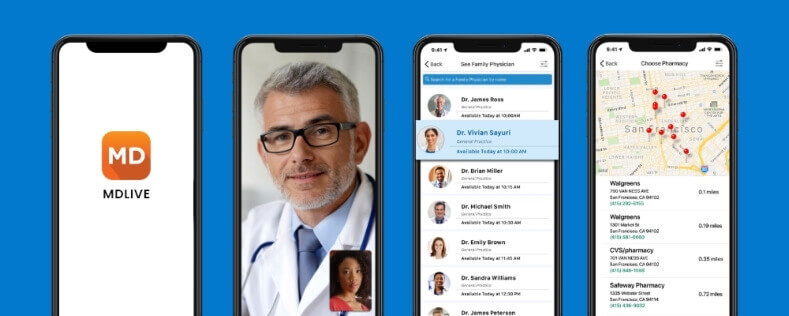
MDLIVE

The anatomy of MDLIVE is urgent care, behavioral health and dermatology. This on-demand doctor app covers urgent medical issues like common cold, flu, sore throat, cough, and fever. The telemedicine app is also highly recommended for behavioral health concerns.

The other main takeaway of MDLIVE is refunds initiated if in case you cancel the appointment 24 hours before the appointment.

Consultation Fee:

  • Urgent care : $75 or less
  • Psychiatry : $259 for initial consults; $99 for follow-up visits
  • Dermatology : $69

4. PlushCare

plushcare

Effective for non-emergency conditions and regular follow-ups, PlushCare allows you to take online doctor appointments by choosing an appointment time available in the slot, with insurance information and then you can get easily connected with the Doctor on a secured video platform. This app is integrated with the patient’s insurer, pharmacy and labs to streamline care and make it effortless.

Consultation Fee :

Appointment fee : $99 (£76) (Higher than other competitors)

5. Amwell

amwell

Get the most out of telehealth with Amwell. From urgent care to acute care, Amwell is an urgent care telehealth platform that provides patients with online access to doctors 24/7, from any computer or mobile device without a long waiting time at relatively inexpensive prices for those not having a healthcare insurance coverage.

Consultation Fee :

Appointment fee : $79 or less

Urgent care : up to $200

End Notes

As the telemedicine app solutions take a bigger stadium amid the coronavirus pandemic, it is important for people seeking care online to have a manual about virtual doctor visits or websites and telemedicine apps that could best fit their needs.

Many mobile app development companies provide readymade doctor-on-demand solutions to local hospitals, healthcare organizations, and health insurance providers to offer their remote virtual care services to patients around the world.

Codiant is one such telemedicine app development company that has developed healthcare apps and telemedicine software for leading healthcare organizations.

TeleDocto is a product of Codiant for health centers looking to offer convenient virtual care through secured video consultations to patients via mobile or computer devices.

Supercharged with capabilities like online appointment booking & scheduling, video calling & video conferencing, screen sharing, document sharing, multiple modes of payment transfer and much more; this readymade white-label solution optimizes clinical workflows, reduces operating costs, and advance the quality of care.

Top 10 On-demand Home Service Apps to Get Inspired From

Visualize a scenario. You wake up in the morning, have your breakfast, get ready for the office, and leave the unorganized home and stinky dishes behind. Surprisingly, when you came back at night, you found a tidy, neat-n-clean home, well-organized cupboards, crockeries, everything at their place. What your reaction is going to be?

Had we asked this question a few years back, then you must have thought we’d have gone crazy or there might be a magician who did all these household chores. But now it has become quite an evident practice – owing to the popularity and usage of On-demand Home Service App Solutions.

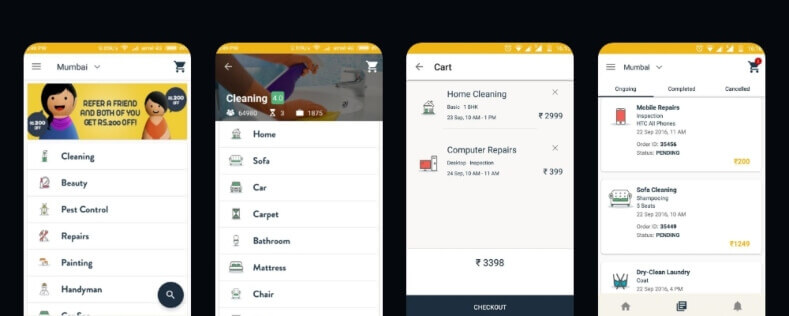
In a duration of a few years, on-demand home service app development has evolved a lot. Ever since these apps are springing up with such a variety of services that we have never imagined having. The many different types of on-demand home service apps discussed below deliver instant services, establish cordial and trustworthy relations with their clients to deliver a pack of daily chore services in no time.

Rethink your ambition of developing a super on-demand home services app by inspiring from the inroads of these top online home service apps ruling the market.

on-demand-home-services-app-codiant
These apps are foraying into small to metro towns and maintaining healthy cash by their strong and viable business model.

Though these apps provide a lot in common there stand some exceptional features that capture a unique value chain. Let’s check them out.

Top 10 On-demand Home Service Apps

  1. Thumbtack
  2. TaskRabbit
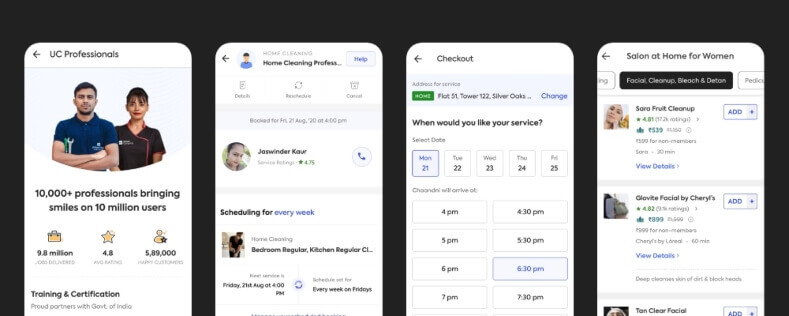
  3. Urban Company (UrbanClap)
  4. HouseJoy
  5. Zimmber
  6. Mr.Right
  7. Family Handyman
  8. Timesaverz
  9. Good Guys Home Service
  10. Handyman

Thumbtack

Available – Android | iOS

thumbtack
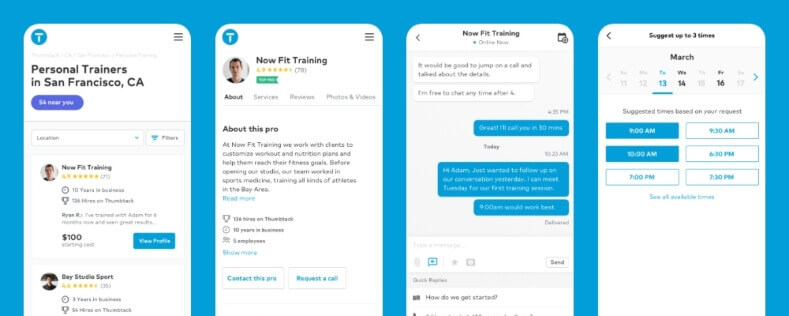
An interesting business model brought up by Thumbtack. You just say what you want and it will be done. With over 1000 service professionals registered in the app, Thumbtack allows users to find the right people for all their projects and get a great service done.

  • User selects the service they need
  • Checks list of available professionals
  • See cost estimates and detailed business information
  • Compare prices, read reviews and book service professionals

Thumbtack has covered an assortment of home services that are poised to make a difference from other competitors. Apart from other conventional list of services, Thumbtack’s on-demand home segment unique services include:

  • Photography
  • Design and web
  • Pets’ services
  • On-demand tutors and Lessons
  • Crafts
  • Estate planning
  • Personal coaches and consultants
  • Wedding planning
  • Event management
  • Home conditioning

Wasn’t it fresh in ideas?

TaskRabbit

Available – Android | iOS

taskrabbit
Crush your to-do list – the mantra of TaskRabbit. Allowing you to hire a trusted professional when you want at the price you can afford. This value proposition of flexibility, reliability and affordability makes TaskRabbit a winner in the gig economy.This American online and mobile marketplace app is now 12 years old and serves around 47 US cities, 4 UK cities and 1 Canadian city.

Urban Company (UrbanClap)

Available – Android | iOS

urbanclap
The leading online marketplace app in India, UAE, Sydney and Singapore, UrbanClap is the largest home service provider that connects customers to service professionals to meet their daily needs. An inspiration for many there stood a decent reason why this app attracted a galaxy of investors to bet their money on it.

With hallmarks like consumer-focused, data-oriented and rapid execution, the founder of this app had the balls and a clear vision to build this company. Varun Khaitan, the founder of UrbanClap was the first in India to transform service-professionals into micro-entrepreneurs and run their own business.

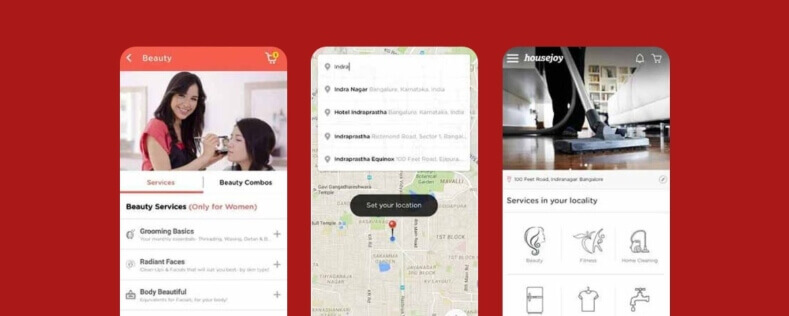
HouseJoy

housejoy

HouseJoy a home maintenance service provider focuses on simplifying everyday living by its home-centric services. Be it home construction or renovation, interior designing, painting or home cleaning. The app has got you covered. Apart from this, HouseJoy also delivers other home-services its peer offers.

Quick and easy booking, on-time arrival and delivery, certified, background verified experts and guaranteed quality of services bring this app on top of the charts.

Zimmber

Available- Android

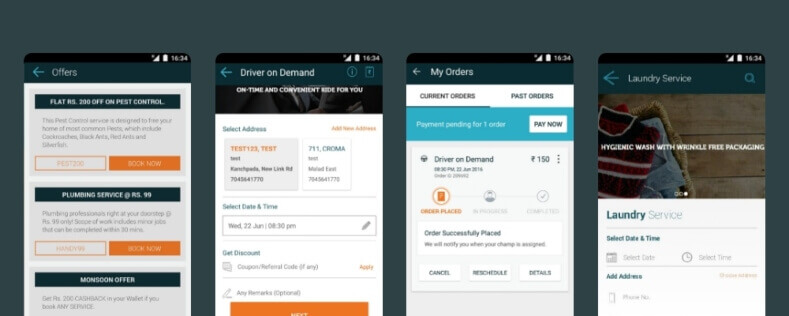
zimmber
Zimmber a home service booking app, acquired by Quikr has changed the way people do their daily household chores. The app hires expert professionals to provide services in areas like Home cleaning Electrical, Plumbing, AC repairing and maintaining, Carpentry, Driver on Demand, Laundry, Pest Control, Salon at Home, Car Spa, electrical repair, PC & Laptop Repair, and House Painting services, as well as complete home refresh packages.

Mr.Right

Available – Android | iOS

mr-right
A big brand in the hyperlocal space, Mr. Right’s website and mobile apps offer an easy to use platform that provides a variety of hard-to-find home services such as plumbing, carpentry, electrical, cleaning, pest control, etc. The app provides 300+ home services from reliable and verified professionals, with upfront pricing, and hassle-free payment options.

home-services-cta

Family Handyman

Available – Android | iOS

DIY- Yet another USP introduced by Family Handyman. The app provides professional secrets, ideas and tips to do the household chores like pest control, woodworking, cleaning, painting, washing, repairing and much more smartly.

Timesaverz

Available – Android

timsaverz
Timesaverz marks its position in the top ten list with its on-time guaranteed service within 2 hours. Not limited to this, the app provides referral programs, dedicated customer care, quality products and equipment to add feathers in its cap.

Good Guys Home Service

Available – Android | iOS

good-guys-home-services
The new app in the town of Indiana and Florida- Good Guys Home Services has its own promising sets of features luring customers of the village, Florida and Indianapolis, Indiana. Here are the takeaways:

  • Technicians with over 5 years’ experience in the field
  • Flat Rate Pricing (No Hidden Fees)
  • Warranty on all work completed
  • Goods Guys satisfaction guarantee
  • A commitment to match you with the same technician every time in the future

Handyman

handyman
The way Handyman has evolved over the years reflects the evolution of the on-demand market. The company standardizes its marketing strategy by providing state-of-the-art home-oriented services like moving homes, on-demand interiors, construction, counselors, etc.

Growth Market Analysis of On-demand Home Services App

The demand for home service apps is elevating swiftly as we are engaged in our hectic daily lifestyle, where every second person seeks some assistance to manage their household activities effortlessly. According to latest reports by Statista, the global revenue generated by on-demand home service apps in 2014 was just USD 97.7 billion. However, in 2020, the global revenue figure spiked to USD 581.9 billion and is estimated to touch a whopping figure of USD 935.2 billion by 2023.

mobile-app-revenues

All these apps are gaining traction rapidly and without a doubt, any of the on-demand home service apps could become as big as Uber if developed on the maps of value, competitive prices, security checks and steadfast services.

We hope this brief detail about the top 10 on-demand home service apps available in the market, helps you to understand what unique all these service providers are serving and give you a roadmap to develop your own value proposition

Are You Thinking To Evolve In On-Demand Home Service Market?

Codiant can help you take a new avatar in the online home service market with its expertise in developing similar apps with their own distinctiveness.

Over time Codiant has helped hundreds of on-demand app-based companies digitally transform their businesses into a better position with unique selling points. Our team of mobile app developers has core expertise in building features that aligns with customers’ digital needs and behaviors to quickly gain their loyalty and trust.

Related reading: How On-Demand Home Service App Can Be an Absolute Channel for Raising Money?

User Experience Design Process

“If I had only one hour to solve a problem, I would spend up to two-third of that hour in attempting to define what the problem is.”- Matthew WakemanNow more than ever, Customer Experience has become a deeply submerged DNA of any design-driven product.Today, mobile app development companies capturing User Experience Design by underscoring person’s behaviors, attitudes and emotions about using a particular product, service or interface are better prepared to weather the storm than others failing to reflect the depth.From that point on, software companies must aim to apply design thinking to create a convenient product for end-users. A product that is user-centered, generates curiosity, spills out engagement and infuses obsession.At Codiant, we help brands, companies and organizations by designing experiences that:

  • Provides usability, accessibility, and pleasure
  • Unlocks customer’s perception, behavior and preferences
  • Intersects clients’ business values, ethics and standards

Here is our design journey of six stages to create an immersive UI/UX Design at Codiant:

What is UX?

In simpler terms, UX is how people feel when they interact with your product or service. Here product can be in the form of mobile application or website.

You may add a plethora of features and functionalities to your website or mobile app, but the key to user stickiness lies on a single factor: How your users feel about it? Does the product provide a value to your client? Is it simple to use? Is it enjoyable?

Test a mobile app you recently got developed on any of your user. Feel the sentiments it develops. If all above checkpoints marks an uptick, trust us the UX designer has hit the right notes.

To label the process of User Experience Design Practices exercised before designing the product attempt to answer these 3 questions:

  1. Define the Why : Why the user needs the product? What motivates the user to use the application? Ponder upon the needs that drives the users towards the app product.
  2. Analyze the What : How can the app or web product help? Think about the functionalities, features that can solve the user’s needs, problems, and meet the necessity. Eliminate the features that doesn’t add value in enhancing experience. This way your product will answer the ‘Why’.
  3. Work on How : Now as you get closer to the user’s needs, motivations and requirements; start working upon the product interaction. Think about the user’s journey to your product, like how the user will approach the different stages of the app. Make the trip intuitive, engaging and pleasurable right from the user’s onboarding to sign out.

Related read : Why Discovery Phase Is An Important Stage In Software Development?

Why does UX matter? The Importance of UX

“People ignore design that ignores people.” – Frank Chimero, Designer

Any phase of the website, mobile app or a software product that fails to consider the user’s needs is doom to fail in the real market.

No matter, how much innovational and problem-solving the project concept is. If it doesn’t tap the user’s pain points, meet the expectations, goals and challenges; the product is lifeless.

By all means, a big part of the UX design process is getting to know your end users.

Great UX defines how effortlessly and intuitively the interaction happens. Not only how beautiful the app looks. A great UX enhances the value proposition and benefits of the product without having to search or delve deep in the functionalities of the product. Its unique selling points are just a tap away.

UX is simple. UX is usable. UX is intuitive. UX is accessible.

For any product, web, app or software if UX is great, it will nurture customer loyalty and trust. Establish your brand and enhance your relationships with customers. Making your product stand out and easily approachable.

I log in to Amazon, (one of the best eCommerce app development approaches visited so far) and I meet with a carousel of USPs and clever bundles of product recommendations, as they anticipate my needs, search patterns and behaviors.

Delightfully, I am obsessed. I select a product and in a blink of an eye I am rolled out to checkout process. Without any high learning curve, I get a smoother checkout in one click ordering. Extra marks to how they bring me back to shop more related products.

The site is designed with a personality of a human. It’s comfortable, convenient and the marketing doesn’t feels like.

Similar, is the working of Groceeri- An on-demand shopping app platform developed by us lately. Read its UX case study here. Not over-promising but you will enjoy reading the process.

What Is Usability?

Usability- meaning ‘ease of use’. It is a quality attribute that determines how easy and pleasant the user experience is. Usability can be defined by five quality modules:

  1. Learnability : How quickly does a user trips the app and finishes the purpose of visiting as soon as they land on the app. Without having visited similar products or services before, if the user is able to accomplish the goal without any high learning curve, means your app made a right cut.
  2. Efficiency : Once users have learned the design, how quickly can they perform tasks, how much time will it take an average user to perform.
  3. Memorability : When users return to the design after a certain period of not using it, how easily can they navigate the design? Can they perform additional operations other than the one last performed?
  4. Satisfaction : How pleasant is it to use the design? Is the experience satisfying? Would the user like to revisit the site again?
  5. Errors : While navigating the app product how many errors does a user make? How severe are the errors? Are they able to recover from it? Does the errors impacts the user’s mood and takes away the interest?

Why Does Usability Matter? How To Improve It?

Usability is directly proportional to user engagement. And inversely proportional to users’ bounce rate.

If an app is usable, easily meets user’s needs and goals, people stay! And are more likely to return back (Higher the usability the higher is the engagement rate.)

If an app is difficult to use, people tend to leave the app without accomplishing the goal- (Lower the usability, the higher is the bounce rate.)

This brings the first law of eCommerce stating “if the users cannot find the product they cannot buy it either.”

So, a UX design should be frictionless, remove hindrances, and minimize cognitive load—while smoothly achieving user’s desired goals.

The Factors That Influence User Experience

To deliver an excellent user experience, the UX design process should be gauged with the seven different factors as discussed below:

  • UsefulA useful software always delivers practical (usefulness) as well non-practical (fun, delightful and aesthetic appeal) benefits. It should be an immediate problem-solver with simple trip of intuitiveness.
  • UsableApart from being useful the software product should also deliver satisfaction. The user should have a compelling reason to come back.
  • FindableIf it is a mobile app it should be easily findable on the app store or play store. If it is a website make sure the web pages are optimized for search engine. The relevant and keyword-rich content, appropriate marketing on social media channels makes the product findable.
  • CredibleCredibility is all about trust. Trust is honesty, staying true to what said. The product should create trust and fit-for-purpose.
  • DesirableMake a product desirable through emotional branding, design, unique identity. Desirability of a product increases the likelihood of greater customer base.
  • AccessibleThe product should be accessible for anyone and everyone. Think about people with disabilities, old age generation and people with limited understanding. Adopt a UX that cares about every individual through features like screen readers, speech recognition, magnifiers, color filters, high contrast text, etc.
  • ValuableThe last but not the least, is the significance of creating a value of the product. Which plays a key role on purchasing decisions. It should differentiate itself from its competitors.Just before you kickstart mobile app development a UX designer should closely ponder over these seven base points and try to enhance them at a maximum level. And trust us, you will be successful in robbing user’s attention.

How to Define the Best UI/UX Development Company

An experience team of UX designer possesses forte in all elements that defines a quintessential UX design. They have to wear multiple hats as part of one role. The expertise of team can be counted through the following traits:

  • Project managementA project can be managed well only if the team understands the product, feel it same way as the client does, know its long term requirements, and the stages of product development-right from user research, competitor analysis, design, implementation and evaluation.
  • User ResearchThe design team should have the right methodologies and tools to perform user research. Research should be performed after studying user’s persona, based on user’s needs, preferences, and behavior patterns. The software development team should be fortified with big data tools, behavior analytics and market research methods.
  • Usability TestingUX analysts thoroughly tracks the progress of the product to assess if the design meets end users goals, doesn’t have error rate, the time it requires to travel a product is shortest.
  • User interface (UI)The aesthetic design of a product defines its UI. As seen, UX enhances user satisfaction by improving accessibility, usability of a product. Contrarily, UI design enhances the product’s look and feel to make the UX work effortlessly. UI design not only focuses on aesthetics, but also maximizes the responsiveness, efficiency, and accessibility of a mobile app or web product.
  • Software TestingMobile app tester or say, Quality Analysts check the app solution’s speed, functionality, and behavior. They eliminate bug, errors and check if the UX is responding as per the set standards and desirability of the UX designer.
  • Mobile App Or Web DevelopmentAfter the design gets ready, designers’ handoff the core file to developers to give motion to the product’s graphic and visuals, interface features. This stage takes longer time than design.

Skills Every UX Designer Should Have

What makes a Great UX Designer? Here are the five must skills a UI-UX Designer must have for building great UX.

ux-design-skills

  1. UX Research : UX research is a combined term of user research and user testing. User research is identifying target users, creating user personas and gathering data to make informed design-oriented decisions. While, user testing is taking user interviews, creating wireframes and prototypes, and website heat maps.
  2. Wireframing and Prototyping : Before passing on the design to developers, designers should be able to build app prototypes. It gives a clear understanding of design functionalities to both designers as well as developers.
  3. UX Writing : Crisp, short, simple yet informative content is the lifeblood of any product. Design elements supported by guided content acts a manual to create stress-free user journey.
  4. User Empathy : Understanding the problems, needs and feelings of your users leads to a better solution.
  5. Interaction Design : A UX designer must understand the way users interact with the product by gaining vision into their mental models. And as per that have interaction designs by using fancy animations.
  6. Communication Skills : Having communication skills to convey the design ideas, inspiration, and user flow to non-design people is equally important. Successful Design thinking and its undistorted translation reciprocates good equation between the client and the service provider, and in turn, help clients to attract investor.
  7. Technical : Given, the design goes to development there are certain technical limitations, app responsive subjects and other practical issues that doesn’t go well with design while in development stage. Considering it, a designer has to closely collaborate with developers and discuss about languages, frameworks and tools superficially.

For that, a UX designer must have a clarity with basic technical concepts and their execution.

The UX Design Process. Meet the Stages of Design Journey

1. Empathy

“The goal of a designer is to listen, observe, understand, sympathize, empathize, synthesize, and glean insights that enable him or her to make the invisible visible.”— Hillman Curtis

The first step towards great design is empathy. Empathy is understanding user’s emotions and feelings. This understanding of being in other’s shoes serve as a channel between you and other people.

Designers empathizing with customers in the design is an ability complemented by good listening skills, observation skills, taking inputs from people, adopting humility, and UX research techniques.

The outcomes of this stage are user personas, user stories, use cases and user flows.

2. Research

Also known as Discovery stage, the research phase works on how outer world is functioning on such features. The general techniques used in this stage are competitor analysis, analytics review, stakeholder interviews, contextual enquiry, surveys, content audit, user interviews, user testing, and A/B testing.

The outcomes of this stage are a resultant unique value proposition, a good study casing market segments covered by competitors, and gaps identification.

“Good designers can create normalcy out of chaos; they can clearly communicate ideas through the organizing and manipulating of words and pictures.”— Jeff Veen

3. Wireframes

Wireframes or low fidelity prototypes comes in action once the design team gains good understanding of customer’s feedback on product concept, their motivations, and expectations.

Here the design team begins to design the user flow diagram before sketching the wireframe. The user flow diagram is a simple chart that outlines the steps a user will take while using the product or service.

This chart helps designer to optimize the app design flow such that the user achieves the goal in a simple and efficient way.

An example of user flow diagram showing user’s action while using an app.

Once the designer layout the user flow, they begin sketching the wireframes and later perfect it to computer-drawn wireframe.

Rather than focusing on visual design and animated elements these wireframes lack, the app designs are helpful in presenting the information on a real screen.

The outcomes of this stage is wireframing, graphic mockups and clickable prototypes.

4. Design

Let’s say it high fidelity prototypes. Because they show all design details of the product. Right from the typographic detail to fancy animations, these pixel perfect prototypes dictates the complete app look with no coding. They are interactive and can be used in early user tests before the code is written.

In user testing, all the assumptions and hypotheses made in earlier steps are validated. In this process, you observe how a user is interacting with your app or site.

Explore the type of user testing in detail.

5. Implement

After the design phase is done and approved, the development team starts working on the back-end functionality. Meaning the UI/UX design developed is converted into a highly interactive market-ready app/web product packed with all the features and functionalities navigating smoothly.

6. Evaluate

“Do not seek praise. Seek criticism.”— Paul Arden

Now as we reach the complete product feature the app or web roll down to evaluation stage.

In this stage, the application is tested with target users by conducting user testing through questionnaire, surveys and interviews. The product is analyzed to check if it is solving users’ problem.

The final outcome of this stage is users’ feedback, UI audit reports, improvements areas and recommendations.

Design Tools Used By the UI/UX Designer

Wrapping Up…

“Design isn’t finished until somebody is using it.” And “The design is only considered done when the problem goes away”.

And when we are thinking of problem a UX designer should always focus on how to rectify the problem not on beautifying the product. Once the problem gets the solution, it can be then embellished and made beautiful.

Summing up, the base of a good product lies in the right UX. If the UI/UX development company nail it right, take our words nothing can stop to make it a successful product out in the market.

Online Food Ordering and Delivery Trends In 2020

Digital platforms -> On-demand Food delivery -> Measures to Convenience.

Online Food Ordering and Delivery businesses have been growing at a skyrocketing speed. What posed as an innovation at a course of time quickly turns into a demand for incremental changes. Of course, trends are supposed to bring change. With the rising boom, we have seen food delivery players like Zomato, JustEat, Deliveroo, capturing a huge market share with their marketing tactics and strategic innovations to woo customers.

The online food delivery market that seems not to slowdown has recorded a revenue of US$23,991m in 2020 with an annual growth rate of 5.1% and is expected to grow to a market volume of US$29,222m by 2024, as per the report. Underlying these rapid advancements, food delivery businesses continue to seek new ways to improve their delivery services as well as keep themselves up to date with the latest food ordering app development trends. Here are the top game-changing food delivery app trends to hit the market in 2020:

Technological transformation

Personalized Catering: The rise in consumer preferences (e.g. demand for gluten-free food) will demand food delivery businesses to adopt Big Data Analytics into their existing digital platforms to better understand consumer needs, monitor trends and create meals that complement every dietary need.

Food & Ingredient Transparency: Transparent food labeling enabled by various health trackers will give a strong push to QSRs and businesses to mention more accurate information about food package labels.

Voice Assistance Tools: The AR and VR and voice assistance tools will play a huge role to help customers engage with QSRs and food businesses, even when they are not physically present in the restaurant.

Social Media & Small Businesses: The budding local food delivery startups will find their sweet spot in the webspace. They will access new markets, explore new opportunities by having their own website and food delivery app. Today, 89% of Australian small businesses have a website and some engagement with social media.

AI Bots: AI bots will progressively help in maximizing delivery efficiency, handling customer interactions, and driving recommendations.

New Ways to Delivery and Concierge Services

Delivery with Drones: Experimentations in delivering food will see new heights. Companies like Domino’s, Zomato and Uber Eats have already reduced the time by half by drone delivery. Businesses may use fully autonomous on-demand drone delivery services by hiring companies like Flytrx, Zipline to avoid traffic, congestion and reduce delivery time.

Delivery with Robots: Depending on the geographic location, businesses will soon come face-to-face with a food delivering robot. Like the Starship delivery app is the first to start delivery with robots in the UK where the user simply opens the app, choose the items to be delivered and drop a pin by selecting the delivery location on the service map. Users can even watch the robot’s journey to them through an interactive map. Once the autonomous food delivery robot arrives, the user will receive an alert, and they can meet the robot and unlock it through the app.

These little six-wheeled machines are well-equipped to protect themselves and their goods from being stolen. They walk around with 9 cameras and travel 4mph and can reach you only if you’re in the 3-mile radius from them.

Related posts: On-demand delivery by Robots

Delivery with Parachutes: If your restaurant is on the eighth floor and your customer on the ground, how will you deliver the food quickly and efficiently? Parachute delivery is the solution. Parachute-delivered food possibly may give a real benefit for restaurateurs, as pointed out by Pop-Up City. The spaces higher up in the buildings are less-expensive and give more options to businesses to test culinary concepts. This innovative system was started by a group of friends in Melbourne where they delivered grilled sandwiches and used Paypal for payments.

Food Market Apps Segmentation

Delivery Only Business: The increasing internet penetration and smartphones have removed the limitations of having a food outlet to deliver food. Home kitchens can help businesses reduce the upfront cost for buying space and this way they can run their delivery business from home kitchens or collaborative kitchens. A Virtual Kitchen also runs on the same concept where they run their businesses online by taking orders only by mobile apps.

Crypto Food orders: Purchasing food online with cryptocurrency is becoming increasingly popular. Pizza for coins a service based in California allows you to order from major chains such as Domino’s, Pizza Hut or Papa John’s in exchange for BTC.

Takeaway:

Convenience is king. Online food delivery app development has become a necessity and no more a choice. Restaurant-to-Consumer is by far the leading category but Platform-to-Consumer Delivery is growing faster. Improving the ordering experience and working on innovative delivery methods are the two major trends every food delivery business should vie for.

Be a Smart Investor: Top 10 Real Estate Apps To Get Business Inspired

Real estate apps are touted as one of the biggest profit-making businesses. All credits goes to the level of convenience they create with their on-the-go property searches.

Today, 97% of homebuyers begin their searches online and 76% use a mobile or tablet device, as per a report by the National Association of Realtors.

This swelling number of thumbprints on real estate apps have made this business worth investing on. If you’re looking to invest in real estate app development and trying to make your service stand out among those thousands other realtors, here is a place you can get feature-inspired.

We have analysed the top 10 real estate apps based on their usability, features and functionalities, and search efficiency. These apps are truly something you can bank on to create an outstanding business model.

The Top 10 Real Estate Apps of 2022

  1. Fundrise
  2. HappyNest
  3. DiversyFund
  4. PropertyFixer
  5. Roofstock
  6. DealCheck
  7. Peerstreet
  8. Realtor.com
  9. Arrived Homes
  10. Redfin

Real Estate – 21662453229

1. Fundrise

Fundrise is a crowdsourcing app available for real estate investors to provide them access to premium commercial and private investment opportunities. The easy and low-cost access to the app makes it stand out in the market.

The app has some exceptional functionalities like:

  • Smart Diversification

The app allows investors to invest outside the public markets which ensure minimum risk and better stability.

  • High Convenience

The investor can easily track their performance and check properties that are improved, acquired, and operated using the dynamic feature update.

  • Flexible Low-Cost Investment

The initial investment is low as compared to other private companies that allow the investor to enjoy the flexibility to make a better investment at the right time with the right amount.

2. HappyNest

HappyNest is an easy-to-use platform that allows investors to invest in commercial property with a minimum amount of just $10. The property portfolio of this company is leased to companies like FedEx and CVS which falls under Fortune 100 brand name companies.

Let’s look into its unique features:

  • Auto-Investment

It only requires an initial investment of $10 and after that the app allows individuals to set a weekly or monthly investment limit which will automatically work once you are all set. This feature will help you reap a good investment in the real estate industry.

  • Dividends

The individuals get quarterly dividends and this app aims to take out 6% of annual income. There is also a possibility that NAV may rise or may not rise but the sales pitch of the individual investment will remain similar.

  • Allows Only Mobile App Access

It does not allow any desktop view for the investors. Individuals can only access it through App Store or Play Store. But, many times people are not convinced to have investments using their mobile phones.

3. DiversyFund

DiversyFund is a real estate investment platform that works on the REIT (Real Estate Investment Trust) where they invest money to purchase multifamily buildings/property of around 100 or more units to get the return in the form of income. The investors get around 90% taxable income of the total investment in the form of dividends.

The process of DiversyFund is being followed in five major stages:

  • Raise a certain amount of capital
  • Acquire suitable property
  • Renovate the property
  • Increase its value
  • Turn it into a profit

Some of its effective features include:

  • Investing Goals

To decide the investment goals, an individual needs to answer certain questions like whether they are looking to invest in real estate, if they are looking for portfolio diversification, and whether they are saving for retirement or are not sure about the goal yet.

  • Learning Centre

Both beginners and seasoned investors can easily gain huge knowledge via blogs available on the microsite.

  • Transparency

The investors get access to the annual audit reports and all the fund filings under SEC- Security and Exchange Commission whenever they want.

4. Property Fixer

Property Fixer is a smart tool to invest in real estate property and is specially designed for investors who quickly make their decisions or flip their properties. The tool allows investors to conduct flip analysis on the property they are looking to invest in and also provide information on the profits and ROI on the same.

The tool is usually used by the individuals who are either looking for:

  • The flip analysis before they actually buy a property
  • Agents and lenders to gain property flip analysis for their clients

Some of its exceptional features include:

  • It offers professional financial projection
  • It gives an analysis of the multi-unit and commercial properties
  • It generates a property portfolio where you can easily combine and compare properties to gain performance insights
  • Individuals can decide on payment schedules using a built-in mortgage calculator
  • Conduct analysis on a both commercial and multi-unit property

5. Roofstock

A real estate marketplace platform that is specially designed with the purpose of investing in single-family property. This includes acquiring a property that is already occupied by the tenants or other individuals. Majorly the reason behind the popularity of the app includes it provides access to property management that makes the real-estate investment hassle-free. Individuals who are not interested in investing their money in any kind of real-estate trust usually prefer this app.

Some of the unique features of the Roofstock involve:

  • Professional analysis

Roofstock simplifies the process of property analysis by offering property pictures, videos, neighbourhood ratings, lease details, floor plans, etc.

  • Alerts

You can easily set your desired criteria to get alerts for the same and fix your deal in the first hit.

  • Search Filters

RoofStock offers many filters that perfectly fit your criteria. An individual can set that criteria and can search for the most suitable option.

6. DealCheck

DealCheck is a real estate app platform that allows investors to estimate the profits on rental properties, flips, and other residential multifamily deals. It allows investors to check rental comps, property financial projections, analysis of recent sales, and calculation of maximum allowable offers.

Why an individual must use DealCheck?

  • It helps in analyzing the best real estate deals and gaining related data automatically synced on the devices.
  • The app simply demonstrates multiple categories for the investor to choose from i.e. Manufactured, Condo, House, Land, Multi-family, and more!
  • The investor can make customization in their own property criteria.
  • Detailed reports can be exported in PDF formats.
  • Investors get access to multiple key real-estate formulas and terms in the form of an attractive glossary.

7. Peerstreet

PeerStreet is a marketplace that provides unparalleled access to high quality real estate loan investments. Any individual can easily invest in real estate simply without any expenses or hassle of managing it.

The unique feature of Peerstreet is that individuals can also invest in the real estate debt i.e. the loan amount that is given to the borrower can be the investor’s money.

The investor gets a return on their investment as the borrower pays their monthly loan interest. It supports a minimum loan amount of $1000 with a diverse portfolio offering.

Some of the excellent benefits that Peerstreet provides to investors are:

  • It maintains loan portfolio and fees structure transparency
  • It keeps the solid records
  • It promotes automated investing
  • It has a limited risk because it focuses only on debt instead of both equity and debt

8. Realtor.com

Realtor.com is designed with the aim to provide access to the real estate market of homes where investors can easily find their dream homes. The homeowners also get the opportunity to provide their homes on a rental basis to gain more income. To make the process simpler and clear, the company offers pre-approval on mortgages and easy access to professional realtors.

The three unique features of the app make it stand out in the market:

  • Home Search Filter

The exceptional tools and filters of Realtor.com allow individuals to find a home with their convenience and specific filters. The process of searching home is fast, simple, and fun-loving. The user can easily set personalized filters and step into the immersive home experience with our 3D model.

  • Easy Mortgage

The mortgage loan calculator allows users to fetch the best loan amount as per their pre-defined budget. It also showcases the actual installment or loan amount that an individual will pay.

  • Profitable Rentals

The individual can easily find the rental apartments, townhomes, condos, etc. in their neighborhood at the best possible price.

9. Arrived Homes

Arrived Homes is a real-estate investment platform that allows individuals to invest a minimum amount of $100 and begin their investment journey to gain passive income from rental properties. The reason behind the popularity of this app is a simple process wherein they provide pre-vetted and low-cost investments.

Some of its unique features include:

  • Anyone can start with a minimum investment of $100
  • The legwork of rental homes is managed by the property managers
  • Zero personal liability for investors
  • Both accredited and non-accredited investors can invest

Apart from the above-mentioned benefits, it also offers transparency, early share redemption, an anticipated investment term of 5-7 years, and many other features to provide a high level of satisfaction to them.

10. Redfin

Redfin is a platform where various investors can find a suitable option to invest in the real-estate property of their choice and budget. The brokerage/application registration charges are way less than that on the Redfin app. The app is unique in the market because it offers combined services i.e. Multiple Listing Services and the Home for Sale.

Have a look at its exceptional features:

  • Multiple Home details
  • Tour insights
  • Notes and Camera
  • Open Houses
  • Instant Updates
  • Ask an agent
  • Home Search

Summing Up!

The real estate apps are effective digital platforms that are helping people in finding the best property solutions. The apps allow easy access to property buying, planning, selling, or streamlining the funding process. Today the market is flooded with many different types of real estate apps from where you can get business inspired and create a future-proof business model.

Investments in real estate apps allows people to gain high returns with minimum investments. Thus, with the evolution of these apps, more investors are coming up and leveraging multiple benefits of digitalization.

So why not make a smart move and invest in the real estate app development? Codiant can support you with deep knowledge and insight into the real estate industry. We have created more than 100+ real estate apps and successfully aligned business strategy in the app to make a startling move against its competitors.

Top On-demand Trucking Apps to Get Inspired From

The Market Report says that “the global logistics industry is expected to attain a market size of around $12,256 billion by 2022 and register a CAGR of 3.48% from 2016 to 2022.

With increasing global trade activities and advancements in the IT sector, the On-demand trucking industry is poised to mark a landmark growth.

The technology-based supply chain, smart analytics on big data and AI-enabled prediction technologies in logistics function have boosted the transport and logistics industry to undertake efficient delivery with advanced on-demand trucking app development solutions.

As the Uber Freight app started to sweep the industry by storm, in the past few years, we have seen many similar apps with progressive features coming on way to beat the modernizer.

Let’s walk through them one by one and take a collective inspiration.

Uber Freight

iOS Android

This is one all-rounder app, definitely worth taking inspiration from. It is equipped with everything one needs ranging from managing bookings, fleet, and notification to analytics, feedback, and reports. It comes with an intuitive consumer interface that offers different features for different service roles.

Convoy

iOS Android

It won’t be a harm to call this app a sibling of Uber Freight as at one end Uber uses intuitive algorithms to save fuel, convoy does both by finding ways to save fuel and maximize utilization of no. of trips made. Convoy aims to reduce waste by filling every truck and trailer to its full capacity which are somewhere contributing to the ecosystem.

Transfix

iOS Android

Ever heard of the term ‘the middle man’, well Transfix acts as one between customers and shippers and carriers. It is an On-demand trucking app that enables its users to get results in no time. The entire idea is hitting the road as soon as possible. One unique feature that makes it stand out amongst the others is that the app uses proprietary algorithms that enable it to suggest numerous quotes in seconds accurately.

GoShare

iOS Android

When we talk about logistics we not only talking about interstate transportation. Logistics plays a very important role locally as well. It is still easy to find transport for bigger consignments but then what about smaller ones. Go share is another On-demand trucking app that connects customers and truck or van drivers. Services of the app are such that it manages to deliver in the least time of an hour. Besides that, it also gives a free estimate of cost before you confirm your ride and it gives the consumer facility to communicate with the driver and track there shipment. It also allows freelancing for truck drivers. It won’t be much harm if we call it mini Uber Freight.

Bungii

iOS Android

One of the best examples of innovation clubbed with creativity is Bungii. It offers users to click pictures of things to be moved and upload it on the app to get connected with local truck drivers. The app also offers an in-app payment and rating.

The Takeaway…

Logistics that includes transportation and warehousing, many companies are counting on sectors like automobile, pharmaceutical, FMCG products, high-tech machines and other revenue boosters to accelerate their business down the line.

And to gear up with this on-demand logistics business with fully operational efficiency there comes an urgent need for On-demand trucking app development. Despite being the most obvious choice for venture expansion, it also comes with a lot of incentives for logistics business. Making it the new prerequisite to operate successfully.

So, why wait? Accelerate towards the growth builder app! Contact one of the finest On-demand trucking app development company. And start your brand’s new journey today.

Create A Telehealth App like Practo

Bearing in mind the changing human nature to not want to visit hospitals or go to the doctor for non-acute conditions is pushing various health and wellness sector to launch a complete package of healthcare app including remote patient monitoring solutions.And now as we face the current pandemic crisis it has become utterly crucial to develop all in one solution for reaching doctors’ on-demand, online medicine delivery, health insurance, diagnosis, health tips and more.In this highly demanding times, online doctor search and medicine ordering healthcare platform Practo is gaining tremendous popularity to inspire health organizations to set foot in and lead with multiple vertical offerings under the umbrella of the healthcare app.The immense number of searches for Doctors and hospitals, diagnostic centers, insurers and pharmaceutical companies by more than billions of users worldwide has strengthened this segment blanketing almost every health-based vertical.In this post, we will cover the entire feature list that Practo offers for Doctors as well as the Patient app and how much would it cost to develop an doctor on-demand app like Practo.

Practo Features for Patients or Users

  • Easy Onboarding : Quick and easy registration and login through mobile no., OTP and password.
  • Find Doctors : Users can search and find Doctors based on areas, top specialties, hospitals.
  • Online Chat : Users can privately consult doctors through online chat.
  • Book Appointments : Patients can take an online appointment as per Doctors’ availability.
  • Consultation : Users can take paid as well as free consultation with Doctors.
  • See Doctor Details : Users can look into the selected doctor’s qualifications, consultation fees, and general feedback or reviews from their patients.
  • Access Health-related Posts : Users can access exclusive health articles and health tips posted by Doctors and other health experts.
  • Order Medicines : This feature allows users to order medicines online and other health products.
  • Ask Questions : Users can raise health-related queries and get free answers from specialists.
  • Additional Features : Users can buy affordable family health plans, maintain digital health records.

Practo Pro Features for Doctors or Hospitals

  1. Registration : Doctors can register through mobile no and password.
  2. Profile Creation : Doctors can create a free profile on Practo by entering details like name, city, specialty, gender, education qualifications, registration details, and years of experience.
  3. Practo Reach : As the word goes this option helps Doctors in increasing the visibility of their profile amongst millions of patients registered on Practo. The relevant profile gets visible to patients seeking care through specialists.
  4. Patient Stories : Doctors can see the feedback of patients in the form of reviews and respond to them instantly.
  5. Online Consultation : Doctors can consult with patients online through online chat, file sharing, and boost their earnings.
  6. In-app Calling : Doctors can see the on screen if any patient rings with their name, image and profile and also can view the last appointment taken with them.
  7. Online Follow Up : Doctors can enable online follow up. And keep their patients coming back and monetize repeat interactions.
  8. Ques and Answer : This feature allows Doctors to answer patients’ questions for free this in turn can enhance their reputation and help them generate more leads to direct consultations.
  9. Track Performance : Doctors can track the performance of their practice through the interactive status bar.
  10. Health feed : Doctors can write insightful articles about their area of expertise, showcase their proficiency through it and stay connected with related patients even more.

Practo Ray Features for Doctors or Hospitals

Practo Ray is a comprehensive practice management software that helps doctors in automating appointments, creating electronic medical records (EMR), sharing EMR, instant billing and much more.

  1. Book Appointments : Doctors can book, view and manage new patient appointments or reschedule existing ones.
  2. Send Reminders : Doctors can send appointment confirmation and reminders to patients through SMS and Email. View and manage patient health information.
  3. Electronic Medical Record : Doctors can create, access and update patient’s health records and diagnostics reports.
  4. Account Settings : This feature allows Doctors to manage accounts, notifications and invite friends.

Additional Features

  • GPS : This live location access can help users reach the nearest doctor at the earliest by the route provided.
  • Push Notifications : Time-to-time in-app notifications allow patients to get appointment reminders, medicines follow-ups, offers and discounts, etc.
  • Loyalty Program : Users can access membership plans and get benefits on special days like birthday, anniversary and life-changing events.
  • Payment Gateways : Users can pay online for online consultation with doctors through cards, net banking, wallet, etc.

telemedicine-cta

Technology Stack Required To Make an App like Practo

  • Programming languages : Kotlin, Java (Android), Swift (iOS)
  • Insurance verification : PokitDok
  • ePrescription : EazyScript
  • Video Conferencing : WebRTC
  • Chat : Twilio, Socket.io
  • Database : MySQL, MongoDB, MailChimp Integration
  • APIs and frameworks : Stripe, EC2, S3

Total Cost To Develop An App Like Practo

Revealing the exact cost to develop an on-demand doctor appointment booking app is not possible. It entirely depends on the telemedicine app development company you hire. Since the hourly development rates vary company and country wise.

Additionally, irrespective of companies and location while developing a healthcare app the mobile app development company calculates the cost based on factors like number of features, functionalities, third-party integration, and the complexities involved.

But still, to give a rough idea about the healthcare app development cost there is no harm in sharing a ballpark figure. The cost ranges between 25,000 USD to 32,000 USD (with basic features).

Online Medicine Delivery App Development

Let’s accept it. Until the pharmacy owners faced the venomously destructive coronavirus they couldn’t resist their traditional brick and mortar stores to do the selling.

We also couldn’t agree more, Covid-19 has not only left digital business as an option but made it rather a compulsion.

With the stricter regulations imposed by the government worldwide and the rising panic amidst the consumers, an online medicine delivery app solution has come as a rescue to combat the infectious crisis.

As the majority of consumers have shifted online to buying medicines to prevent getting themselves exposed to virus, reliance on epharmacies has increased more than ever. Giving an unprecedented mileage to the on-demand medicine delivery app market.
online-medicine-delivery-app-development-codiant

Here are some mind-boggling stats and trends of the online medicine market:

  • The global pharmaceutical drug delivery market is expected to reach $1.7 trillion by 2023 at a CAGR of 6.4%.
  • Post pandemic, the demand for overall medicines category has gone up by almost 100%, as mentioned by the founder of PharmEasy.
  • Many online medical stores which have been struggling to take off in a big way for over three years mainly due to regulatory issues have seen a record surge in sales amid the Covid-19 crisis.
  • E-pharmacies are expected to grow 7 times to $3.7 billion by 2022.

The Covid-19 crisis has presented an opportunity for pharmacy owners to monetize and run with the trend. Here in this post we will discuss the below mentioned topics that will help you discover how can you start and thrive with online medicine delivery startup in your early stages.

Topics on Focus:

  1. Different Models to Start An Online Pharmacy App
  2. Understanding the four crucial user roles of online medicine delivery app with their feature stack:
  3. The Revenue Model
  4. Top Competitors and Market Players
  5. Total Cost to Develop An Online Medicine Delivery App

Business Models of Medicine Delivery App

Single-Store Model : If you are a single pharmacy store owner you can sell drugs through a single integrated platform.

Aggregator Model : In this model, you can create an online pharmacy marketplace by aggregating several pharmaceutical stores in locality and allow them to sell drugs under your mobile application.

Customer-Oriented Model : This model allows you to establish a direct connection with the customer and eliminate the need for middlemen in the transaction.

Four Basic User Roles of a Medicine Delivery App

While you move forward with online medicine delivery app development, depending on the business model you choose, we suggest you go for the development of four user roles: Customer, Pharmacist, Courier delivery and Admin with each of these roles having detailed list of the feature stack. Let’s cover it one by one.

Customer App Features

  • Registration and Login : Customers should be able to register in the app through mobile number, email id and social channels.
  • Upload Prescription : Customers can take the photo of their prescription and upload it.
  • Search Medicines : Customers should be able to search for medicines easily through filters like categories, names, brands, etc.
  • Drug Details : For an informed purchase, customers should be able to check the details or descriptions of drugs, manufacturer and compare prices.
  • Find Substitute : The app should enable customers to find alternative generic drugs by named brand composition.
  • Add to Cart : Customers should be able to put the selected medicines or health equipment in the cart.
  • Place Order : Customers should be able to place the order from the product page as well as from the cart page.
  • Track Order : Customers should be able to track the status of the order dispatched through a tracking id.
  • Make Payments : Allow customers to make secured online payments through cards, net banking or wallet.
  • Push Notification : This feature will help you to send notifications to customers taking offers, deals, promos, etc.

Pharmacy App Features

  • Easy Onboarding : Quick, easy account set up for pharmacies.
  • Manage Products : The pharmacy owner should be able to update and manage the product details like drug description, expiry date, and essential medication instructions.
  • Product Listings : Pharmacists can add, upload and feature product images, cost and category.
  • Digital Prescriptions : The pharmacist should be able to review digitized prescriptions uploaded by the customer.
  • Manage Prices : For meeting dynamic marketing strategies, pharmacists should be able to easily change medicine prices.
  • Order History : This feature allows pharmacists to access the entire order history in past, date and month wise.
  • Manage Payments : Pharmacists can keep the check and track all payment details in real-time.
  • Ratings and Reviews : Pharmacy staff can manage the ratings and reviews given by the users.

Admin Panel Features

  • Dashboard : Admin can check, manage and view all the ongoing orders, active pharmacists, customers, delivery boys and total earnings on a single web view.
  • Manage Orders : Admin should be able to manage all ongoing orders, check tracking status.
  • Manage Pharmacists : Admin can manage (add, remove, update) all pharmacists.
  • Manage Customers : Admin can manage customers, broadcast messages, and send notifications.
  • Inventory Management : This is an advanced feature that enables admin to manage inventory and get notified when products are going out of stock, nearing expiry dates, etc.
  • Reporting and Analytics : Admin can check all the operational data and statistics to create interactive reports and take further marketing actions.

In-house Courier Features

  • Manage Profile : Courier companies can upload their personal business information, license id.
  • Set Availability : Delivery staff can set the current status of their package delivery progress (like package dispatched, on the way, delivered).
  • Real-time Notification : When an order is placed the courier company should receive a notification.
  • Track Delivery Route : Courier delivery boys should be able to use GPS to check the best delivery routes.
  • Call/Message Customers : Delivery boy can send message or call customers for coordinating delivery.

The Revenue Model

Now let’s understand how online medicine delivery apps can help pharmacies earn money online.

1. By Commissions

The most trusted avenue to generate revenue from an online pharmacy app (aggregator model) is earning from a percentage of commission that is charged to each pharmacy partner listed in the app. The percentage can be set by keeping in view the current market scenario. So, every time a customer makes a purchase or the pharmacy partner makes a sale, you will get the percentage.

2. By Advertisement

In-app advertisements is another way through which online pharmacy apps make money. This is one of the major sources of revenue. You can offer advertising to pharmacies at additional cost to feature them on top of customer searches to attract more customers. You can also allow them to place their offers, deals, and discounts to gain more customers.

3. By Delivery Charges

Most pharmacies do not have their own delivery team. By employing your delivery team to deliver packages to customers, you can add one more channel to earn money. Delivery fees can be a percentage of the order price or a flat fee depending on the distance.

4. By Surging Prices in Peak Hours

A pharmacy app can make extra cash by surging the delivery charges in events like same day delivery, peak hours, pandemic crisis, or disasters, like we have seen a big spike in price during COVID-19.

top-medicine-delivery-apps-codiant

How Much Does It Cost to Develop an Online Medicine Delivery App?

Once you decide on the type of business model you want to work upon, you can decide the features you want to integrate. Each feature stack and technologies chosen has a different cost involved. Furthermore, the total cost to develop also depends on the hourly rates the app development company charges.

So all in all, the factors responsible to create a mobile app from scratch are:

  • Hourly rates of the app development company
  • No. of platforms (iOS, Android)
  • List of features and functionalities
  • UI/UX design
  • Backend integration and testing
  • App maintenance

A Ballpark Figure

According to our estimation and developing similar kinds of online medicine delivery apps with customized features the total cost for an on-demand medicine delivery app development may land to $25,000-$40,000 and can go as high as $40,000-$70,000.

How Fleet Management Software Can Benefit Your Trucking & Logistics Business?

Trucking and logistics industry is on the cusp of the digital revolution.

Today’s transportation ecosystem is covering more miles with fewer vehicles on the road and reaping the benefits of persistently low fuel prices.

With effective vehicle maintenance, driver management, asset utilization, optimized route planning, and fuel consumption, and fuel costs supervision, fleet businesses have taken the front seat in boosting their company’s productivity and increasing efficiency at a greater speed.

If you own a trucking and logistics business and have still not adopted fleet management software, you might want to learn the features it provides.

fleet-management-app

Crucial features of Fleet Management Software

Real-time Fleet Data with GPS Tracking

GPS tracking empowers you with business intelligence by helping you get real-time vehicle location and enables you to see a bird’s eye view of your entire fleet operation with detailed interactive maps with information about the movement of your vehicles, where are they stopping and for how long. Furthermore, with 24/7 visibility to your fleet you get unauthorized movement alerts to detect thefts, amount of fuel consumed, etc.

Monitor and Measure Driver’s Behavior

A good fleet management software helps you to increase your fleet safety by keeping tabs on your driver’s behavior, monitor them closely like when they take sudden acceleration, put harsh brakes, take sharp turns, engine idle time, and so on.

The fleet supervisor receives all this information live on-screen, via email and SMS alerts. In addition, the live dashboard displays a graphical representation of the driver’s behavioral exceptions. These key metrics help is improving and controlling driver behavior.

Fuel Management

For every trucking and fleet company, fuel plays a significant portion of their budget and an effective fuel management system becomes the key! With an automated fleet fuel management solution, you can monitor fuel levels round the clock, track fuel consumption tendencies per vehicle, minimize idling time, emissions, etc. and warn your drivers by sending alarms and lower fuel costs.

Route Planning and Real-time Fleet Monitoring

Optimize route journeys and increase productivity with intelligent route planning. Route planning software enables you to monitor the daily route execution, load planning, real-time reservation scheduling and minimizing fuel consumption.

Vehicle Maintenance

Streamline fleet maintenance processes of diagnosing and inspecting vehicles as fleet management system include routine vehicle inspection checklist, maintenance tracking and reminders, fuel tracking, and troubleshoot. The system also records receipts, insurance info, registration card details, custom notes, etc.

Drivers Management

Take a holistic view of your drivers, improve productivity and assets and identify areas to improve with fleet management’s driver management system. It allows you to ensure your drivers are safe and productive on the road.

Shipment Management

The most challenging feat and time-consuming process of trucking and logistics Company is shipment management. It includes activities like loading and unloading of cargo, planning and managing freight, delivering and dispatching, and more.

Fleet management software empowers fleet managers to make these operations smooth and swift by enabling end-to-end good visibility, optimizing cargo placement, expense/quotes & license analysis, etc.

Key Takeaways

The end-to-end fleet management integration, and effectively utilizing the contours and efficacy of the software’s functions will eventually result in:

  • Increased fleet’s productivity
  • Reduced fuel consumption
  • Enhanced vehicle performance
  • Improved driver safety
  • Reduced costs and maintenance downtime

So, if your trucking and logistics company has yet not taken action for the fleet management software development; it is the high time to get it developed.

How to Develop an Education and eLearning App

“Tell me and I forget, teach me and I may remember, involve me and I learn.” -Benjamin Franklin

Education is the grass-root of any civilized human being. The divine culture of imparting education and learning through teachers or educators is rolling for hundreds of years and has remained an unchanging, moral necessity. What has only changed in time is the way of imparting education.

What belonged to chalks and board shifted to whiteboards, projectors and then now we are living in the present where we have virtual classrooms, eLearning apps and educational websites.

eLearning-app-developmen

Now reflecting the current state, the COVID time!The biggest driver of digital transformation yet that has disrupted every sector where education is no exception.

No argues, during and post COVID, e-Learning App Development has soared like an inflated balloon, leaving no room for an option but only a compulsion or say a ‘new norm.’

So, let’s start by understanding the most vital stages of eLearning app. In this blog, you will learn:

  • Types of eLearning Apps
  • Key Features of an eLearning App
  • Top Competitors
  • Technology Stack
  • The Total Cost Required For eLearning App Development

Types of e-Learning Apps

1. Courseware App

These type of apps helps students in building skills with online courses that have videos as well as text and runs only within the app. The best example of this app is Coursera, edX.

2. Classroom Aids

This software platform is used in distance learning classrooms and school classrooms. To impart the education the course content is projected on whiteboards or white screen. An example of it is Google Classroom.

3. Assessment Software

Assessment software is mainly used by educational professionals to create and administer tests to students via a digital platform. The software provides instructors with a format for writing questions and inserting answers, which in turn allows students to take assessments through quizzes, tests and exams via a website portal or mobile app. E.g. StudyBlue.

4. Educational Purpose Software

Created for a specific subject or domain educational software includes on-demand learning and training for diverse sectors like healthcare, corporate learning, pandemic or crisis management, and more. These types of apps have extensive discipline knowledge and focused learning.

5. On-Demand Learning App

The most popular example of this type of app is the on-demand tutor app. These types of apps allow tutors and students to connect and take online classes via real-time video calling inbuilt in the app. E.g. Everly, Chegg tutors, Flipclass, etc.

6. Memorization Apps

These types of eLearning apps use memorization techniques for a faster and long-lasting memory. Generally, they use flashcards, built-in audio to recite words.

7. Exam Preparation Apps

These apps come in different types such as tests and quizzes, flashcards and databases with materials. E.g. ExamPrep, SAT Up, and Gradeup.

Essential Features of an eLearning App

1. Online Courses

This feature allows students to access hundreds of courses (paid or free) and gain specializations developed by colleges and universities.

2. Video-based Content

This feature allows students to listen to pre-recorded video lessons that are saved topic wise by instructors in the app. The video formats can be any out of these types:

  • Animated videos featuring infographics and text
  • Scenarios Or Story-Based Videos Featuring People
  • Explainer Videos Featuring Experts
  • Videos Featuring Kinetic Text And Videos In The Background
  • Whiteboard Animation videos
  • Interactive video content

These types of videos allow students to take classes anytime, rewind or fast forward, giving full liberty to students.

3. Interactive Content

The interactive eLearning apps are crafted by making the learning process more engaging and takes full advantage of interactive tools to make learning fun and engaging. The types of formats include:

  • Quick brain teaser that triggers the cognitive process
  • Interactive flashcards and newsletter
  • Game-based learning via classroom or parental collaboration

4. Reading Material

This feature enables you to add ebooks, researches, pages (realistic page-turning); it can be available to read at any time, users can bookmark, categorize, highlight, adjust the font size and choose custom font style.

5. Activities and Events

This feature will help you promote quality learning via activities, templates and tutorials. It can be in the form of an infographic template, photo comic strips, stop motion animation, interactive digital posters, virtual walking tour and other creative slides.

6. Live Tutorials and Sessions

Many times simple content-based education app does not serve the purpose. Students need live classes where they can connect with the instructor or teacher in real-time and clear the doubts instantly. Live tutorials, video session like in on-demand tutor apps gives the chance to have live interaction with the tutor and receive answers without any external dependency on in-app course material.

7. Gamification

Make students as well as adults learn in a fun way. Many organizations are using this gamified feature to make learning fun and exciting for everyone. Say like TedEd creates entertaining videos for all ages and other gamified apps like this make learning languages, music, history, art and coding in a fun way. Integrating this feature will allow you to attract more users and make them learn topics in a delightful and engaging way.

8. Online Quizzes, Mock Tests and Exams

While your app imparts education in these many forms described above, it becomes equally essential to assess the learning absorbed by the learner. Keeping a dedicated feature of tests and quizzes and mock tests based on the courses can help assess the learning graph of students and find their weak areas.

9. Social Media Integration

By integrating social media channels like Facebook, Youtube, twitter, Instagram, etc. you can share the links of your uploaded tutorial videos, audio clips to increase number of viewers and user base. This increases the engagement rate and motivates people to download the app.

10. Easy Payments

By integrating multiple payment gateways you can assure seamless, easy and quick payments via cards, mwallet and net banking.

11. Notifications

This feature can help you send important and timely alerts and notifications via SMS, email and push to instructors and students and help them take quick actions.

12. Multi-Language

By making your app available in multiple languages you can increase your user base across geographical boundaries.

13. Augmented Reality

AR-based student learning and education apps like Quiver, Elements 4D use scannable technology for deep learning and connect the topic with multiple learning environments, allowing students to interact with content in a completely new way.

Competitors of eLearning Application

  • For Teachers and Students : Kahoot
  • For Teacher to Make Announcements : Google Classroom
  • For Exam Preparation, contains quizzes, study guides, etc : StudyBlue
  • Helps Students Starting from a Class Level : Socrative
  • For Solving Mathematical Problems : PhotoMath
  • For taking online courses, building skills from universities : Coursera, edX
  • A bibliophile type app : Amazon Kindle
  • Video-based learning app : Periodic Table
  • Online learning and teaching marketplace app : Udemy

Tech Stack To Build an eLearning App

Mobile SDK : Android and iOS

Frontend iOS Development : Swift, React Native

Frontend Android development : Android studio (Java), React Native

Payments : Braintree, Authorize.net, Paypal, Google Pay, mWallets

Notifications : Twilio, Nexmo

Emails : Mandrill, Sendgrid

Cloud environment : AWS

Real time Analytics : Hadoop, Spark, BigData, Cisco, IBM

Database : MySQL

Streaming Video : WebRTC

Cost to Develop an eLearning App

The cost of developing an E-learning app depends on various factors like:

  • Number of features and complexity of app functionalities
  • Number of third party integrations
  • Developers and their location
  • Hourly rates of the eLearning app development company
  • Marketing and SEO expenditures

While the total cost to develop eLearning website depends upon:

  • UI/UX Design
  • Web front-end development
  • Web back-end development
  • Quality assurance and testing
  • Project Management

A Ballpark Figure:

A basic version of the education app costs you around $17000-$20000 (depends upon the features), a complex app with advanced functionalities and features can go up based on the features you opt to integrate.